

Pinterest boards: give your ideas a home
At first, everything goes onto one board. Then you look for a bag pattern and find a kitchen, a bouquet and a hairstyle for a wedding you went to months ago. Lovely ideas. Not quite the one you needed.
Boards keep Pins together by topic. If you use Pinterest for your business, they also help visitors see what you actually do. Let's tidy one corner, not spend three weekends reorganizing the internet.
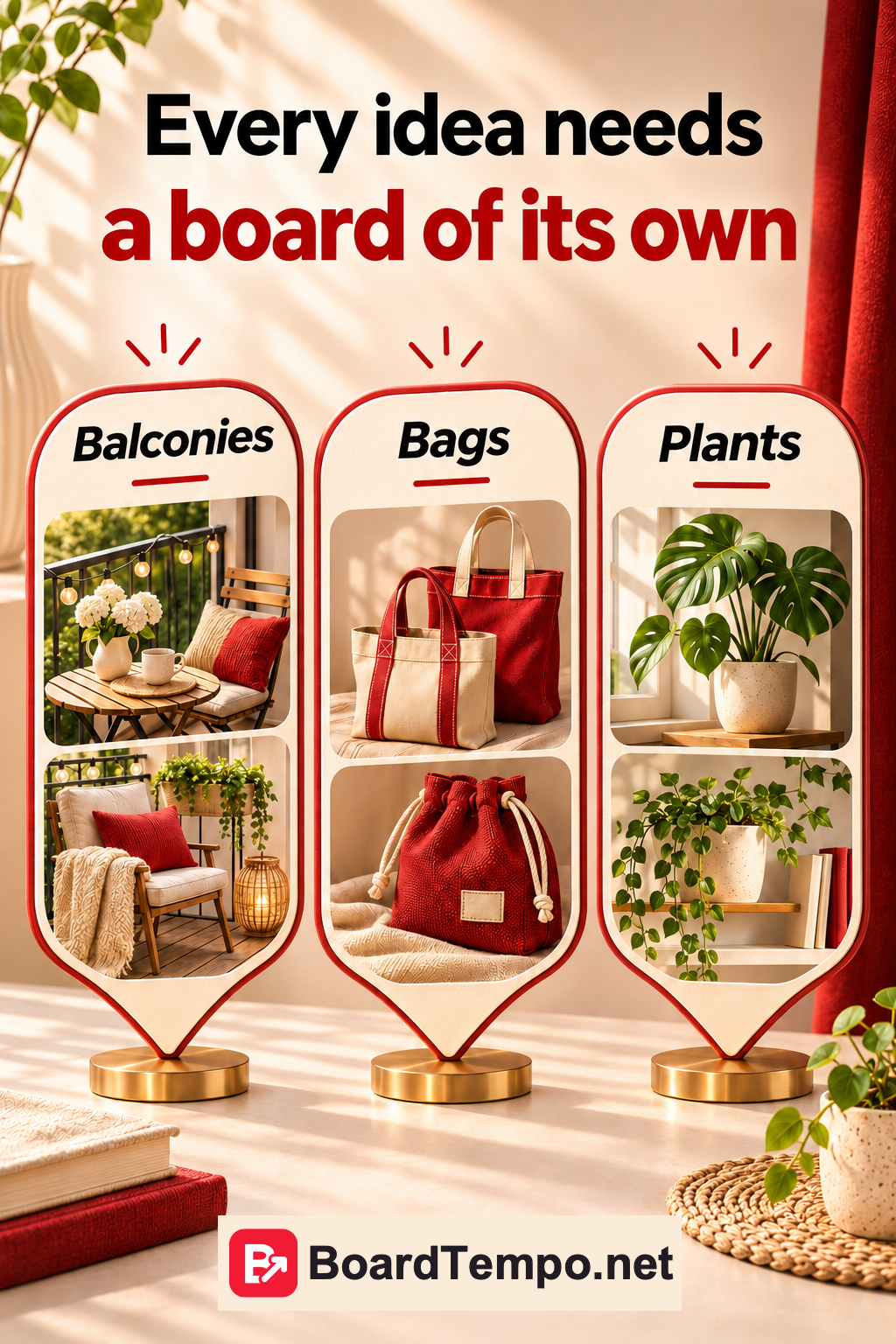
A board name should explain, not intrigue
“Inspiration,” “Beautiful things” and “Mine” may mean something to you. They tell a visitor very little. “Fabric bags with pockets” gives them a much better idea.
Imagine a small bag-making studio. It might start with everyday bags, travel wash bags and gift sets. That's an example, not a required minimum. If you only make tote bags, you don't need to invent two new collections just to fill more boards.
Try explaining the board to a friend in one sentence. If the best you can manage is “all sorts of lovely things,” narrow it down a little.
You don't need a board for every button
One board for red bags, another for burgundy bags and a third for almost-burgundy bags soon becomes a chore. Especially when each contains one lonely Pin.
Group Pins around a useful purpose or type of product. “Bags for travel” makes sense to someone planning a trip. “Long-handled tote bags” helps someone looking for a bag to wear over their shoulder. “Bags no. 1” doesn't help much at all.
You don't have to design a perfect system in advance. Start with topics you can genuinely fill with your work and useful explanations.
How to create a board
Open Pinterest's create options and choose a board. Give it a name and create it. You can also add a new board while saving a Pin, from the list of boards. The controls sit in different places in the app and on the website.
Pinterest also offers a secret board option. That's useful for private plans and work in progress. Leave it off if you want visitors to see the board on your profile.
What to put in the description
Say what's inside. For example: “Canvas bags for work and days out, with pocket details, handle options and a look at what fits inside.” No grand claims, just useful information.
Don't turn it into “bag bags buy bags women's bags.” You wouldn't introduce your work that way at a craft fair. Product names and useful search terms belong in normal sentences.
If the board only has photos of finished bags, don't promise patterns and tutorials. Add those to the description when you actually have them.
Sort out one board, not your entire account
Choose a board you use. Give it a name that makes sense without an explanation. Look through its Pins: do they fit the topic? Find a better home for anything unrelated, but don't start deleting in a burst of enthusiasm.
Now finish this sentence: “On this board, I collect…” If it takes a whole paragraph, you may be mixing two different purposes.
That's enough for today. The point is to make useful ideas easier to find and share, not to spend another week choosing the perfect cover.
Keep reading
Your first Pin: what to check before you publish
A Pinterest profile that explains what you do
Archive or delete a Pinterest board?
Sources
Let’s talk about it
What could help your project? Share your experience or ask a question.
The discussion will appear here after this article is posted in our Telegram channel and comments are enabled. You can visit the channel meanwhile. Comments are public; you are not automatically subscribed.
Telegram loads only when you click. Telegram may ask you to log in to comment. If the discussion is not available, use the channel link above.