

One Article, Several Pins: Give Readers Different Reasons to Click
You've written the article, chosen the photos, checked everything and made a Pin. Published. Done.
But the article is still there, doing its job on your website. And it probably contains more than one useful idea. Can you share it again without simply putting the same picture on a different background?
You can. Here's what that looks like.
One article can help with more than one thing
Imagine you've written “How to Sew an Embroidered Fabric Bookmark”. It covers the steps, the materials and a few ways to decorate the finished bookmark.
One reader wants to use up fabric scraps. Another is looking for a small handmade gift for a friend who loves books. Someone else is getting to grips with an embroidery machine and looking for a project to practise on.
Same article. Different reasons to open it.
That gives you three possible Pins.
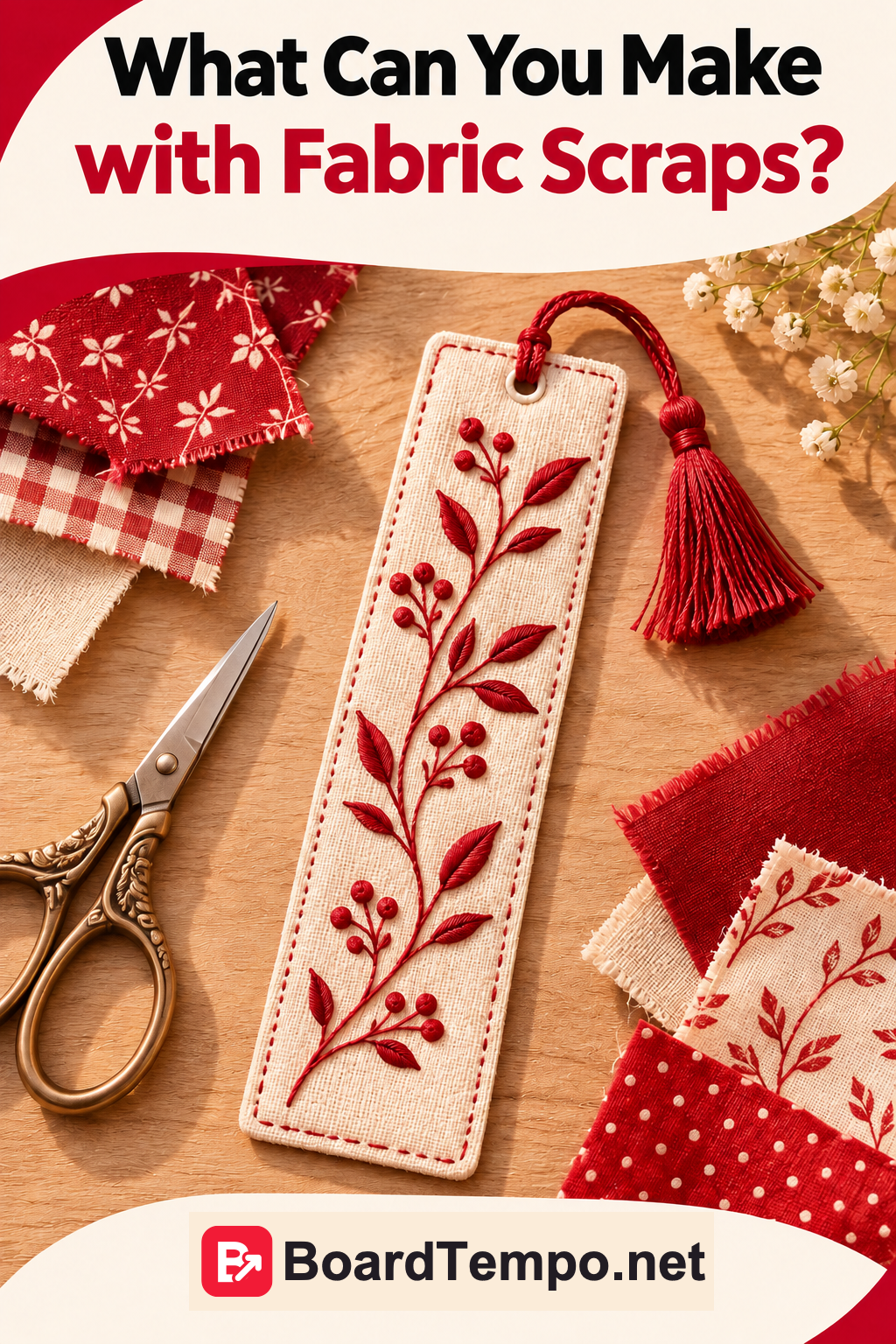
1. For the fabric scraps you can't quite bring yourself to throw away
What to show: A few suitable scraps beside a finished bookmark.
Pin title:
A Little Fabric Left Over? Turn It into a Bookmark
The focus is on fabric the reader already owns. They'll want to know whether their piece is big enough and what else they need.
2. For a small handmade gift
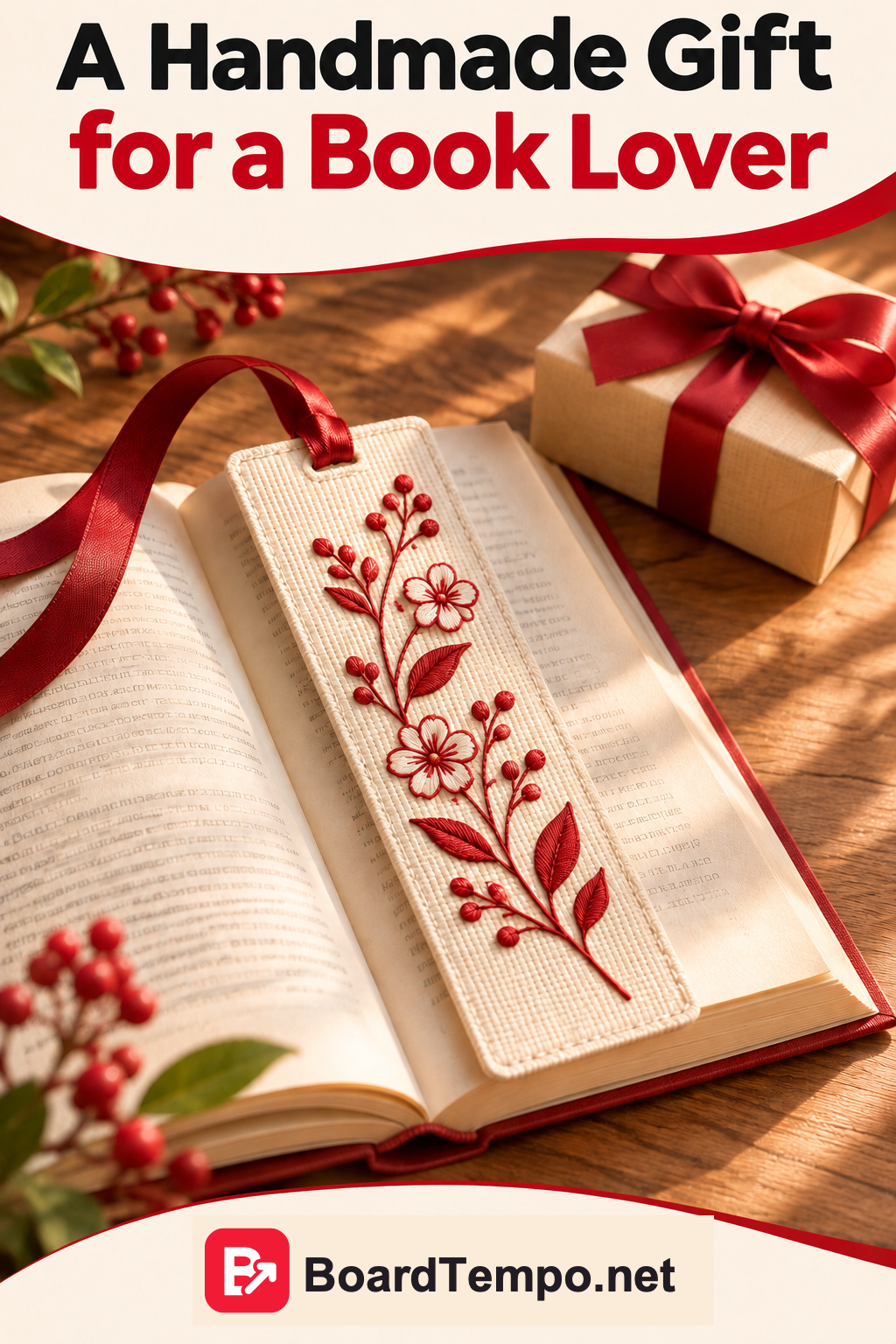
What to show: The finished bookmark tucked into a book. A neatly tied ribbon can help show how it could be given as a gift.
Pin title:
Sew an Embroidered Bookmark for a Book-Loving Friend
This angle speaks to someone who wants to make a gift themselves. The page needs to include instructions and ideas for finishing it, not just a photo of the finished bookmark.
3. For an embroidery-machine project
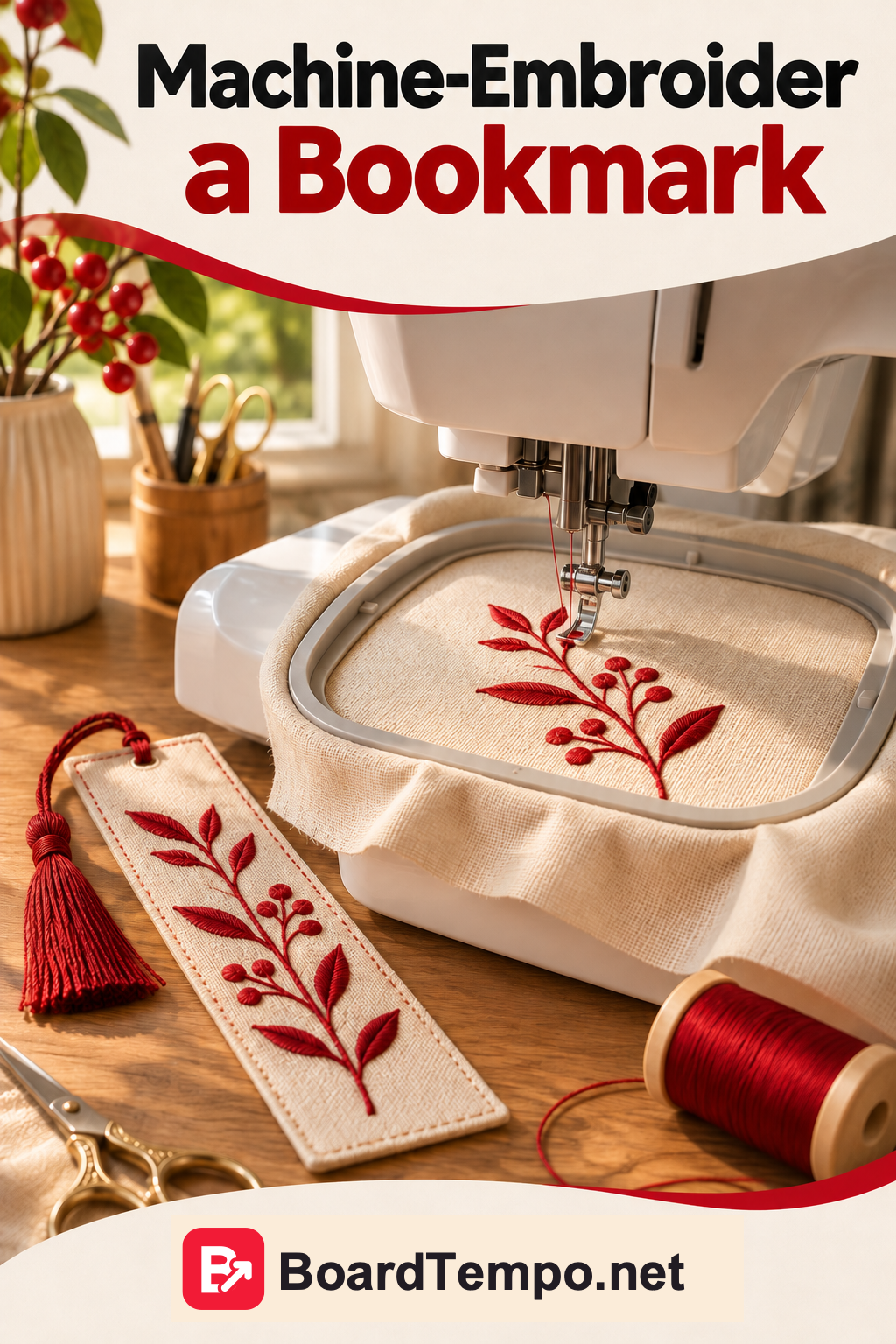
What to show: A useful stage of the process: fabric in the hoop, the stitched detail or the finished bookmark.
Pin title:
A Fabric Bookmark Project for Your Embroidery Machine
Here, the reader wants to see how the project works and which materials it needs. Only call it beginner-friendly if you've checked that the design and instructions really are suitable for beginners.
All three Pins can lead to the same article, as long as it answers all three needs. If the article says nothing about suitable fabrics, either add that information or choose a different angle for the Pin.
Change the question, not just the background
It's tempting to take one photo, give it three different backgrounds and call them three new Pins. The images are technically different. The reason to click may not be.
Go back to the article and ask:
- What can readers do after reading it?
- What might they ask before starting?
- When would this idea come in handy?
- Is there a photo or an explanation that answers that particular question?
For the bookmark, our angles were fabric scraps, a gift and embroidery practice. Yours will depend on the article.
A curtain workshop might have an article about choosing a curtain length. One Pin could ask whether curtains should touch the floor. Another could focus on kitchen curtains, and a third on measuring. But those questions must actually be covered in the article.
You don't need three angles at any cost. If you've found one good one, start there. Others may emerge as you add to the article or notice what readers keep asking.
Let the image help tell the story
Back to the bookmark. If the Pin is about a gift, show the finished item in a way that makes someone want to take a closer look. If it's about leftover fabric, show the scraps. If it's about embroidery, a process photo can be more useful than another picture of the finished piece.
You don't need the whole tutorial on the Pin. You need enough for someone to understand what they'll find and whether it's what they're looking for.
And don't tempt readers with a question the page never answers. Imagine clicking “How to Embroider a Name on a Bookmark” and finding only a general photo of a bookmark. You'd probably feel you'd been sent to the wrong place.
You don't have to become a Pin factory
Several useful angles don't mean you need to make twenty near-identical images tonight and publish them all in a row.
Focus on original, genuinely different Pins rather than repetitive uploads. Pinterest also has limits designed to prevent spam; a burst of repetitive activity is not a shortcut worth building your plan around.
Start with one article, choose a few relevant angles and see how readers respond.
And if you only have time for one Pin right now, that's fine. Make its purpose clear and send readers where you said you would.
Try it with your own article
Open an article on your website and finish these sentences:
Someone would read this to find out…
This would be useful when…
It answers the question…
Can't find three different answers? The article may cover one specific question really well. Start with one Pin.
If you do have several ideas, choose the one that's easiest to show in a photo. Make the Pin, then check:
Will someone understand the promise from the image and title, and find the answer when they follow the link?
If so, your Pin has a clear job to do. Once it's published, the numbers will help you see how readers respond.
Let’s talk about it
What could help your project? Share your experience or ask a question.
The discussion will appear here after this article is posted in our Telegram channel and comments are enabled. You can visit the channel meanwhile. Comments are public; you are not automatically subscribed.
Telegram loads only when you click. Telegram may ask you to log in to comment. If the discussion is not available, use the channel link above.