

Pinterest for your shop: five questions to answer before “Buy”
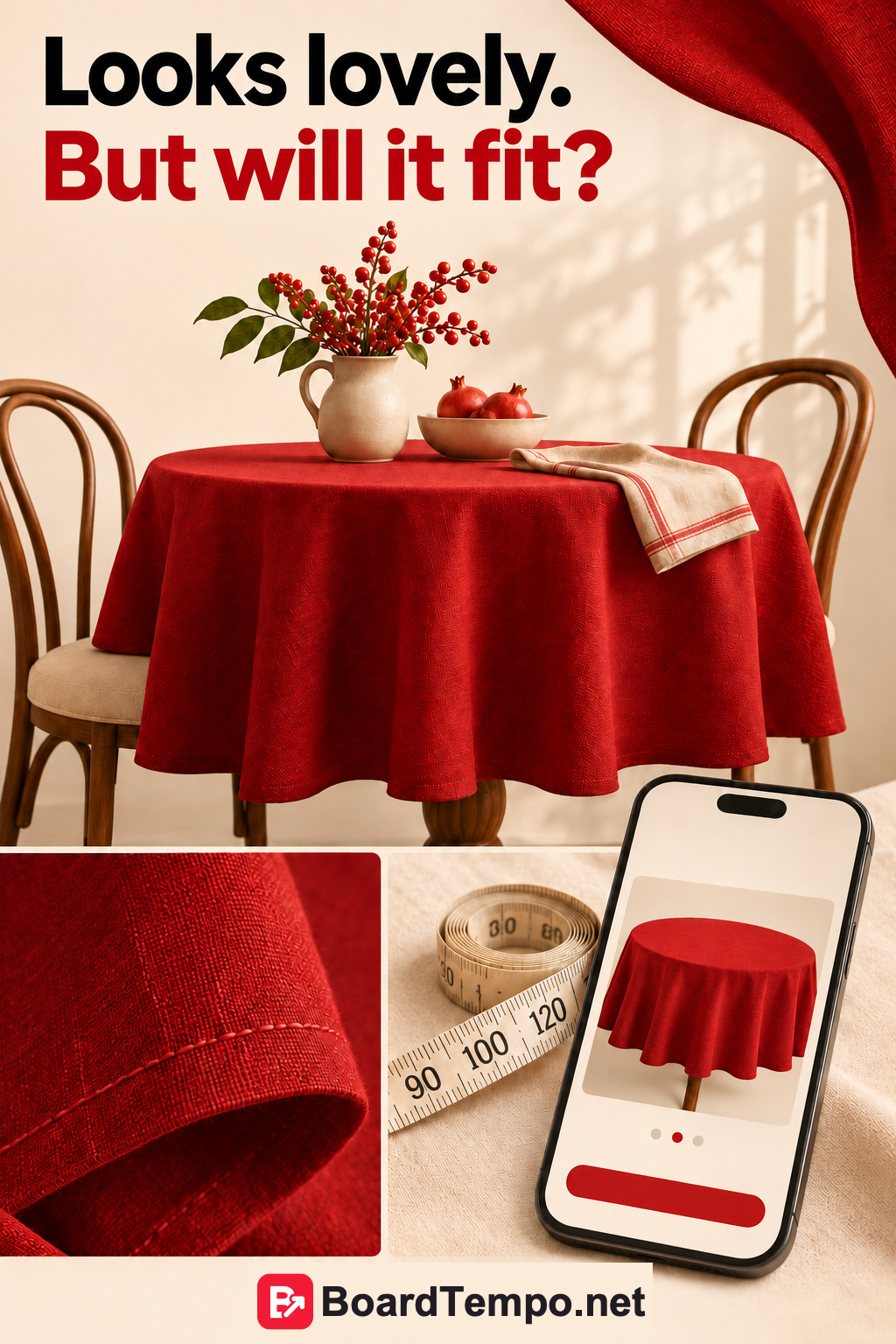
You spot a beautiful tablecloth: deep red, neatly finished, just right for the table. You follow the link and land in a catalogue of two hundred products. Where is that tablecloth? What size is it? Is it even for sale?
The shop has caught your attention, then handed you a treasure hunt. Let's skip that part and get one product page ready for visitors from Pinterest.
Choose something customers can order
Start with one item in stock or something you can genuinely make to order. Not your entire range, and not a discontinued piece simply because it has the best photographs.
For made-to-order items, state the production time. If a colour has sold out, do not create new Pins suggesting it is available. Someone may open a Pin much later, so the page needs to explain what they can buy now.
Five questions a buyer will have
What is included? Your photo might show a tablecloth, napkins, plates and a vase. The title and description should say what comes with the order. “A festive atmosphere” is lovely, but you cannot pack it in the parcel.
Will it fit? Give the tablecloth's dimensions and explain the size of the table in the photo. Actual measurements and advice on choosing the overhang are more useful than “one size fits all.”
What is it made of? Name the fabric composition and show the texture up close. Base care advice on the manufacturer's information or your own testing, not on whatever sounds convenient.
What will the order cost? Make the price, options, delivery and extra charges clear before payment.
Where and when do you deliver? Explain your delivery area, dispatch times and where to find return terms. A prospective customer should not have to start with “Hello, do you actually ship to my town?”
Three useful photos beat ten near-duplicates
One photo shows the whole tablecloth on the table. Another shows the fabric and finished edge. A third helps with sizing, perhaps using the same table with clearly marked measurements.
Three is not a rule. The point is for each image to answer a different question. If only the vase moves between shots, we have learnt very little about the purchase.
Choose the Pin's angle to match the question. “Red tablecloth for a round table” and “How to choose a tablecloth size” need different destinations. The first can lead to the product; the second should explain sizing and suggest suitable options. Do not promise a guide and deliver only a price tag.
A shop link is not a product catalogue
Publishing a photo with a link to your shop does not mean you have connected a Pinterest product catalogue. Shopping features have separate requirements for merchants, websites and product data.
Pinterest's Merchant Guidelines call for clear return policies, functioning pages and up-to-date price and availability information. Check which features are available to your business and account. You can improve a product page before deciding whether to connect a catalogue.
Try shopping as a newcomer
Open the page on your phone, preferably signed out of your shop account. Can you see the product, select a size and read the delivery information? Go as far as the final step before payment.
Watch for the small frustrations: a banner covering a button, a selected colour disappearing, delivery costs revealed only at the end. As the owner, you know where everything is. New customers do not have that advantage.
Make a short list of fixes before preparing the next batch of Pins. Give those images somewhere worthwhile to send visitors.
Try it on your shop
Keep the five questions above beside you and open any product page. Which answers are missing? Start there.
For choosing between a product page and an explanatory article, read “Where does your Pin lead?”
Source
Let’s talk about it
What could help your project? Share your experience or ask a question.
The discussion will appear here after this article is posted in our Telegram channel and comments are enabled. You can visit the channel meanwhile. Comments are public; you are not automatically subscribed.
Telegram loads only when you click. Telegram may ask you to log in to comment. If the discussion is not available, use the channel link above.